Transform
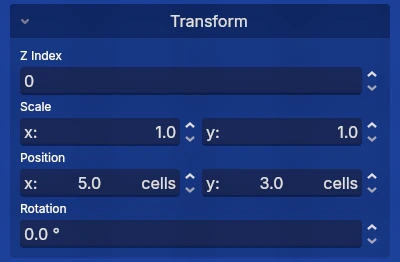
The transform panel allows you to move objects in various ways.
Z Index
The z index controls the stack order of objects. Objects with a higher z index are shown on top of objects with lower z indexes.
It can only be set between -4096 and 4096. Objects with a z index above 0 are shown above the player. Objects with a z index above 50 are shown above the ground.
Scale
Scale controls how big objects are. When multiple objects with different scales are selected, the scale will be set to 1. Modifying the scale in this state will simply multiply the new scale and scale of the objects.
Position
Position controls where the objects are located. When multiple objects are selected, the position will show the average position. Modifying the position in this state will set the average position of the selected objects to the new position.
Rotation
Rotation controls how much the objects are rotated. When multiple objects with different rotations are selected, the rotation will be set to 0. Modifying the rotation in this state will add the new rotation to the old rotation.