Level Settings
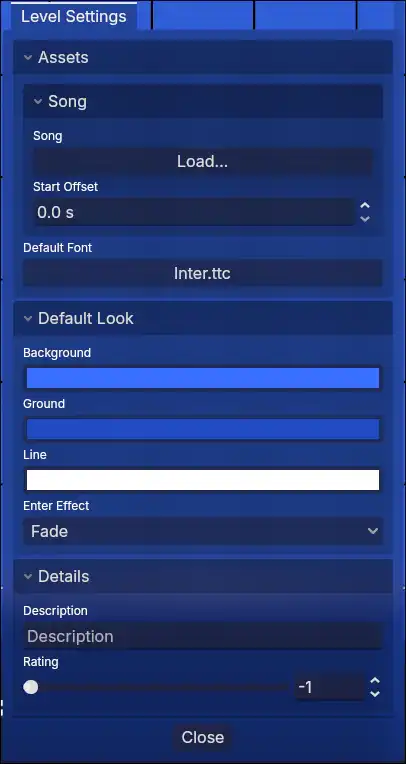
Assets
Song
Changes the song.
Start Offset
Seconds the start of the song is offsetted by.
Default Font
The default font used by text objects.
Default Look
Background
Controls the background color. Can also be changed with the color trigger.
Ground
Controls the ground color. Can also be changed with the color trigger.
Line
Controls the line color. Can also be changed with the color trigger.
Enter Effects
Enter Effects are shaders applied to every object as they enter or exit the level.
Transition Width
Percentage of the screen the transition for effect power should take.
There are currently 3 effects, each with a configurable power:
- Fade
- Move
- Scale
Details
Description
The description describes the level.
Rating
The rating is a number from -1 to 10 based on difficulty. 0 is easiest, while 10 is the hardest. The default, -1 is represented as a question mark (?).