Colors
The colors panel lets you create and modify color channels.
When objects are selected, it also allows you to subscribe them to color channels, and change their modulation.
Panel visibility rules
The colors panel is always visible since color channels exist independently of the selected objects, except for the base color, detail color and hsv shift fields as they are object-specific.
Color channels
Color channels set the color of every object subscribed to them.
This color can be copied from level elements such as the background or ground. If the color is copied, it can be modulated like an object (object modulation will still be applied).
Base/Detail
Some objects are composed of two sprites instead of one: "base" and "detail"[1]. The colors panel lets you subscribe these sprites individually instead of the entire object, so the base and detail can have different colors.
Modulation
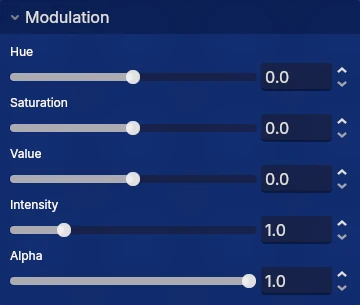
After the color of an object is set by a color channel, it can be tweaked further per object. The modulation panel lets you shift the hue, saturation and value of the selected objects and set a multiplier for their intensity and alpha.
The "detail" input field is always visible, even if the object only has a single sprite. ↩︎